
If you’re a freelancer, solo entrepreneur, or someone planning to start your own online brand in Malaysia, having a professional website is one of the most important steps you can take.
Whether you want to attract clients, sell services, build a portfolio, or start a small digital business — your website is your online identity, and it works 24/7 even when you sleep.
The good news?
You can build your own website easily, even if you are not technical, don’t know how to code, or have zero experience.
In this guide, I will show you step-by-step how to build a professional website in Malaysia using simple tools anyone can use.
Let’s get started!
What You Need to Build Your Website
You only need 3 things:
1️⃣ A domain (your website name, ex: yourname.com)
2️⃣ A web hosting account (so your website is online 24/7)
3️⃣ A website builder or platform (WordPress recommended)
Step 1: Choose Your Domain Name
Your domain name is your online identity.
- Keep it short and easy to remember
- Avoid numbers & hyphens
- Choose
.comor.myif available - If your brand targets Malaysia only →
.myor.com.myworks well
Step 2: Get Reliable Web Hosting in Malaysia
A domain is not enough — you need hosting so your site is available online.
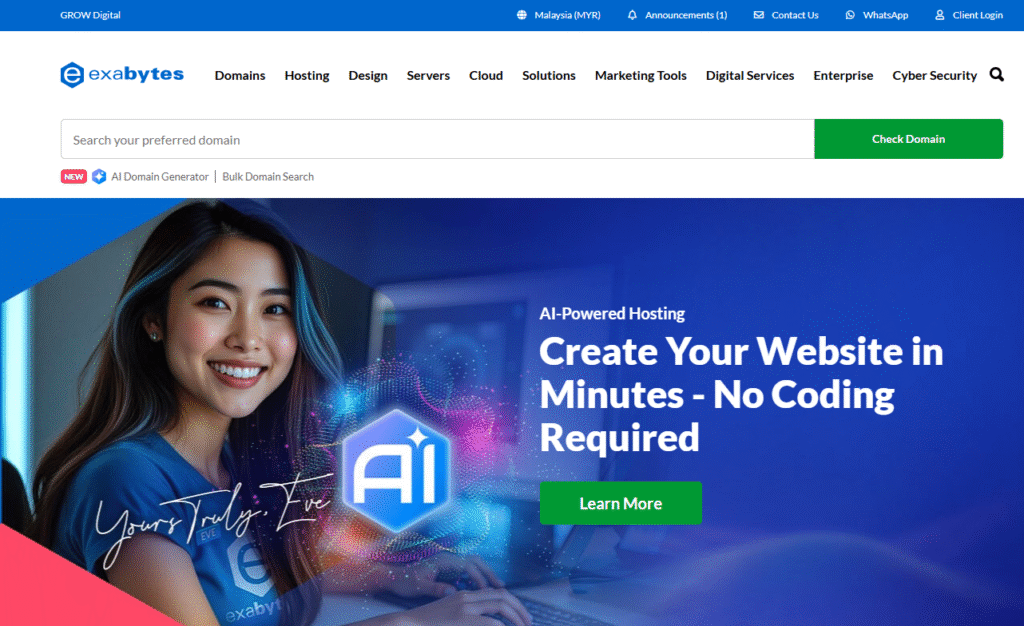
👉 For Malaysian freelancers/solopreneurs, Exabytes Malaysia is one of the most reliable and beginner-friendly hosting providers.
Why many Malaysians choose Exabytes
If your audience, clients, or readers are in Malaysia, choose solutions that support:
- Local Malaysia servers → fast loading, if your website takes too long to load, potential customers may exit immediately
- Customer support available in Malaysia
- Accepts Malaysian payment methods (FPX, bank transfer, etc.)
- Local currency (RM)
- Easy WordPress installation
🔽 Recommended Step:
👉 Click below to check Exabytes hosting plans:
➡️ https://www.exabytes.my
Step 3: Install WordPress (No Coding Needed)
Once your hosting is ready, you can install WordPress with just 1-click using the hosting control panel.
Why WordPress is perfect for freelancers:
- Widely used → 43% of all websites
- Easy to customize with themes
- No coding knowledge required
- Can grow with your business
- Works for portfolio, blog, landing pages, e-commerce
After installation, you can log in to your website using:
yourdomain.com/wp-admin
Enter your username + password, and you’re inside your website dashboard!
Step 4: Choose Your Website Design (Theme)
Inside WordPress, go to:
Appearance → Themes → Add New
Search for these beginner-friendly themes:
| Theme | Best For | Notes |
|---|---|---|
| Astra | Business, portfolio, and professional websites | Very fast, simple to use, and loads quickly so your site feels smooth. |
| Kadence | Any type of website (blogs, business, shops, etc.) | Easy to customize and change designs without trouble. |
| Blocksy | Modern, stylish-looking websites | Comes with fresh designs and lots of cool visual features. |
| Hello Elementor | Websites built using Elementor page builder | A simple, clean theme built to work perfectly with Elementor and stay fast. |
Step 5: Install Basic Plugins
Plugins are tools that add extra features to your site.
Recommended beginner plugins:
| Plugin | What It Does | Why It’s Useful |
|---|---|---|
| Elementor | Lets you build pages by dragging and dropping blocks (no coding). | You can create beautiful pages even if you’re not a designer or tech expert. |
| RankMath | Helps improve how your website appears on Google. | Makes it easier for people to find your website in search results. |
| WPForms | Lets you create forms, like contact or sign-up forms. | Makes it easy for visitors to message you, ask questions, or join your list. |
| LiteSpeed Cache | Speeds up your website and reduces loading time. | A faster site keeps visitors happy and helps your Google ranking. |
| Site Kit (Google) | Connects your website to Google tools to track visitors and performance. | Shows you how many people visit, where they come from, and what they do on your site. |
Step 6: Create Your Main Pages
You don’t need 15 pages.
You need 5 that communicate clearly.
1️⃣ Home
2️⃣ About Me / About Us
3️⃣ Services
4️⃣ Portfolio / Case Studies
5️⃣ Contact Page
Step 7: Launch & Share Your Website
Once your content looks good, launch it — don’t wait for perfection.
Share it on:
- Facebook & FB Groups
- TikTok / IG
- Business card / email signature
Your website is not just a site — it is your business asset.
Final Recommendation
Everyone starts with zero.
No audience.
No clear plan.
No confidence.
Those who win are simply the ones who move.
You don’t need approval.
You don’t need to feel “expert enough.”
You don’t need the perfect design or perfect idea.
Create your website with Exabytes and turn your idea into something real:
👉 https://www.exabytes.my
The longer you wait, the harder it becomes.
Your future audience is already searching — make sure they can find you.
Your journey starts with one click.